
Guided trip playbook
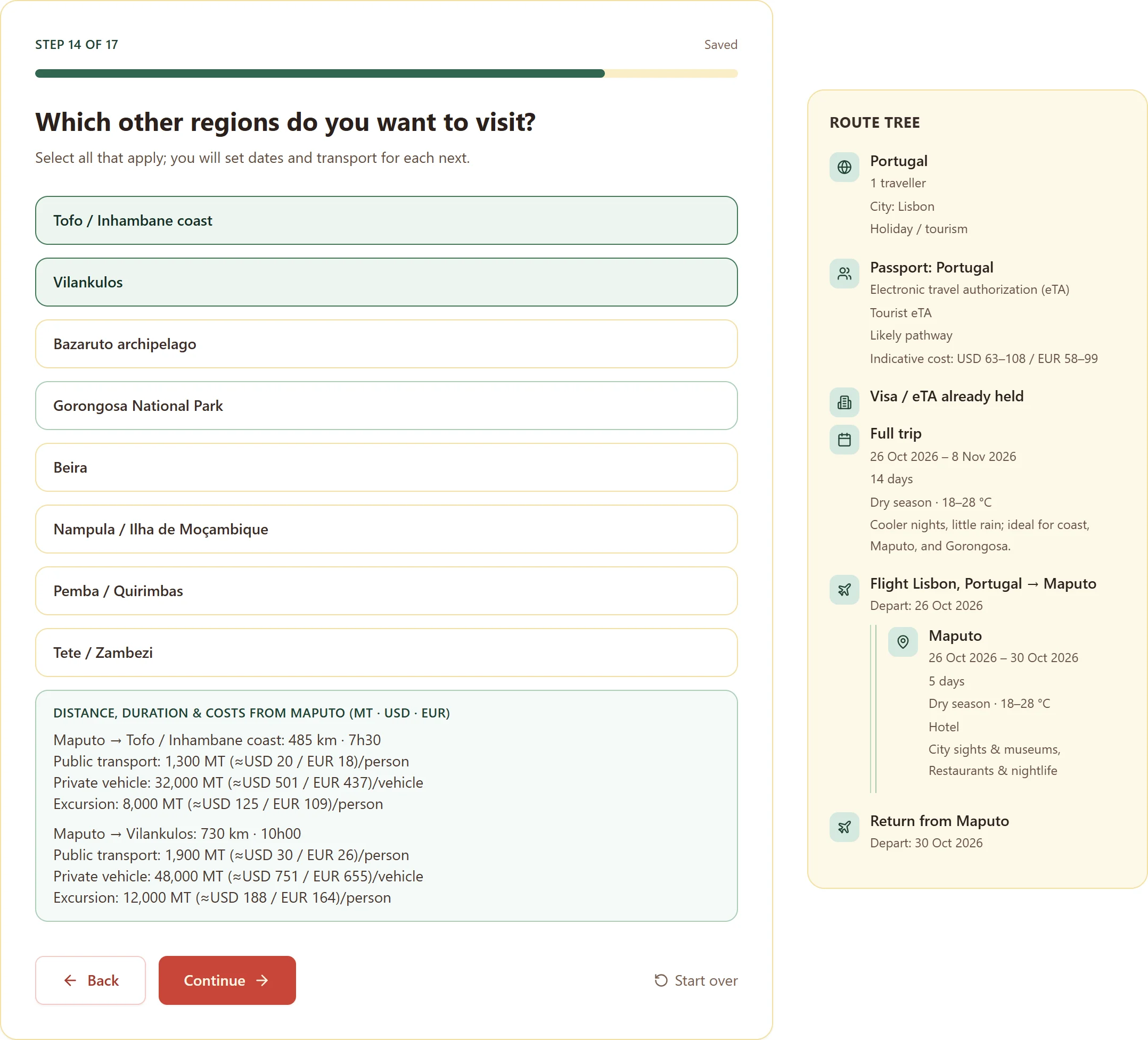
A step-by-step flow covering origin, travellers, entry status, dates, Maputo, regional legs and the return flight. Answers save as you go.
Digital product for trips to Mozambique
A guided workspace that turns a Mozambique trip into a decided plan: route, entry preparation, budget and checklists, ready to print, share or send to your calendar.
Mozambique Smart Travel Planner
One workspace with a step-by-step playbook plus the tools you would otherwise juggle across notes, spreadsheets and browser tabs.
A step-by-step flow covering origin, travellers, entry status, dates, Maputo, regional legs and the return flight. Answers save as you go.
Your trip builds itself into a branching route as you answer, with distance, travel time and cost hints between Mozambican cities.
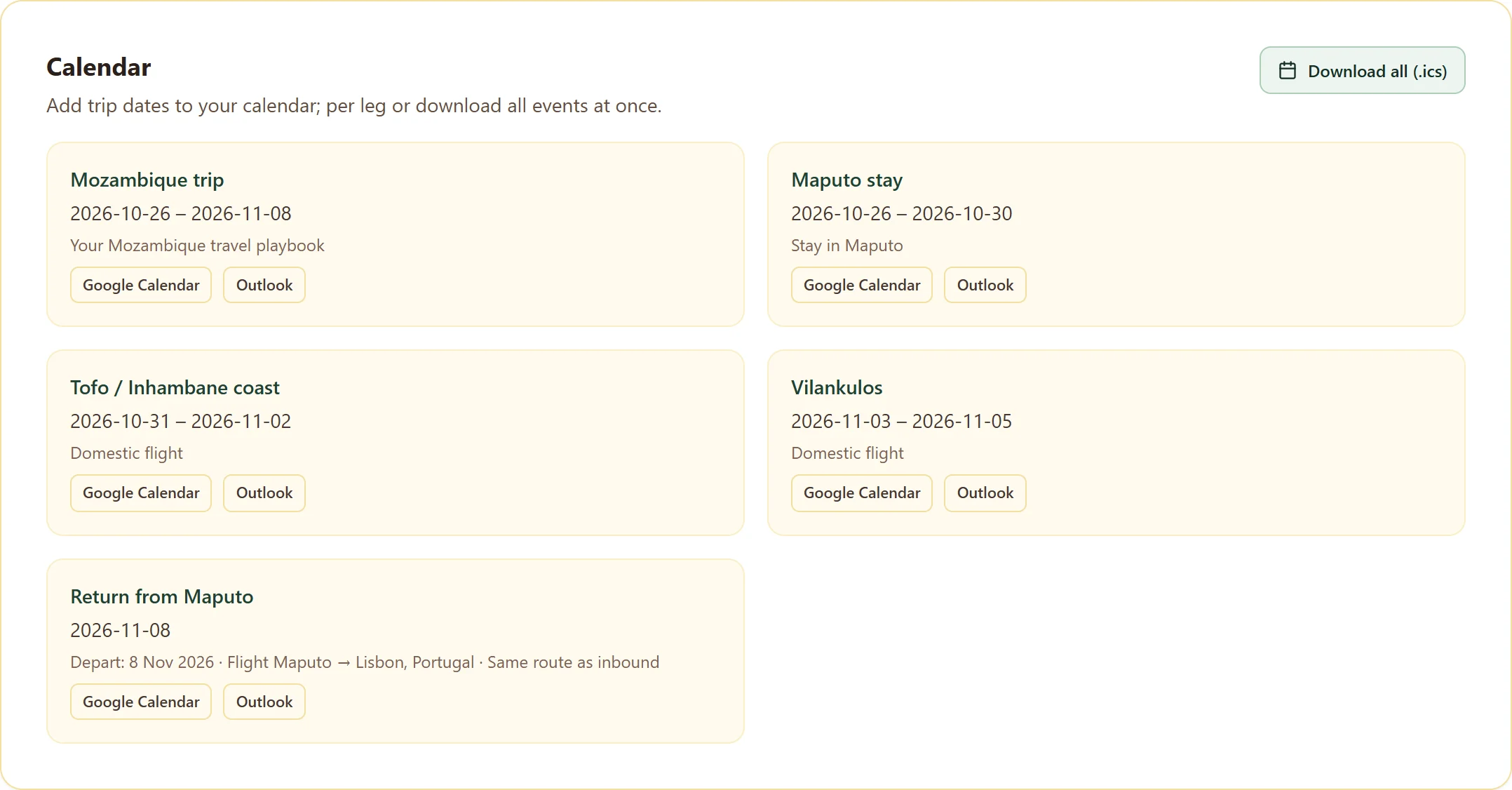
Download your trip as a calendar file, or add individual legs straight to Google Calendar or Outlook.
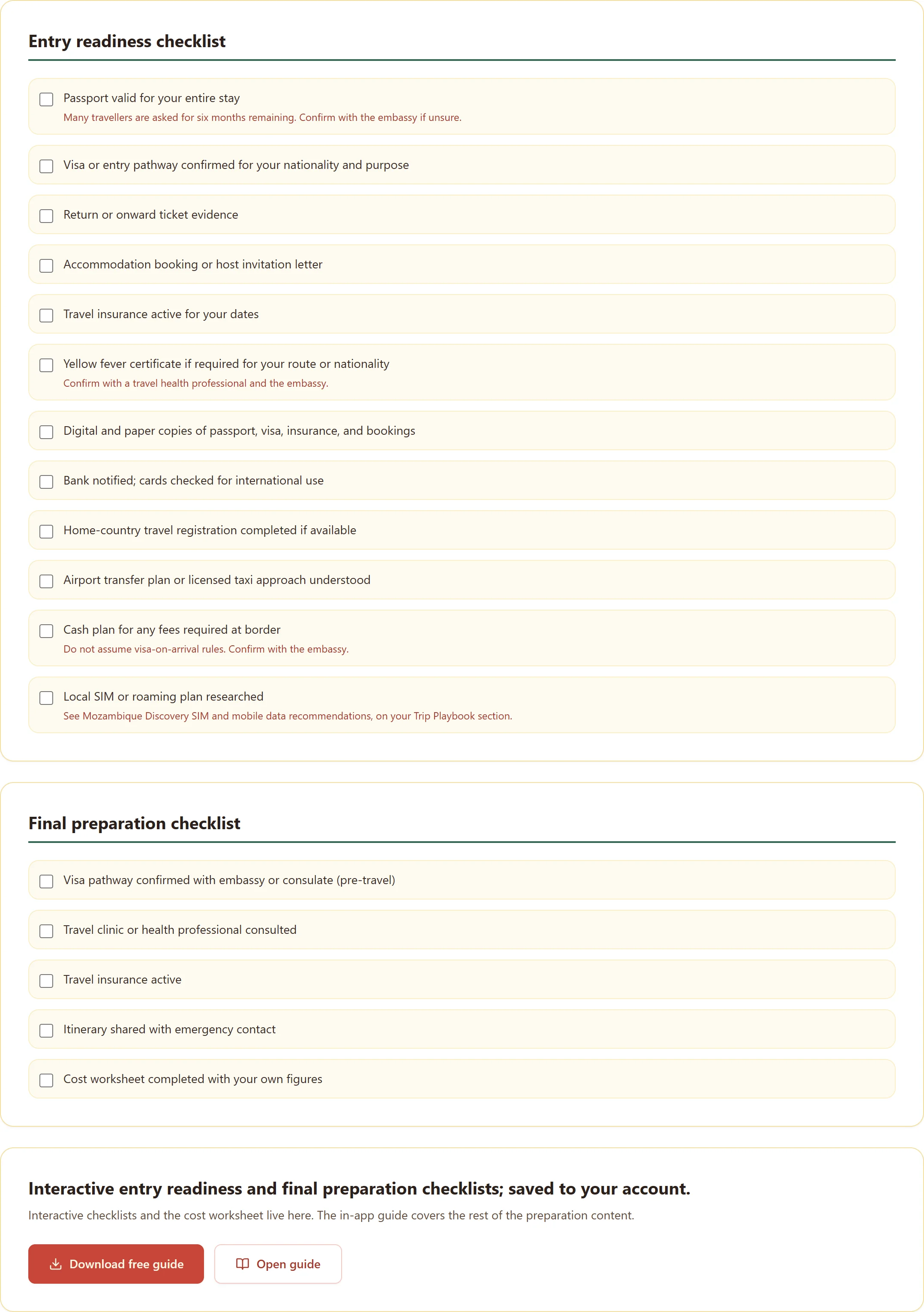
Two working checklists for entry readiness and final departure, with your progress and dates stored against your account.
Build a budget in meticais with US dollar and euro equivalents, add your own lines and set a contingency.
Keep a saved version of the plan, print it, or send the route to a travel companion by message or email.
The planner opens in your account after purchase. These are the screens you work in.
Previews of the actual planner screens.
Step 1
Instead of a blank page, the playbook asks one question at a time and keeps a running draft, so you can stop and continue later without losing anything.
Answer, and the plan takes shape
Step 2
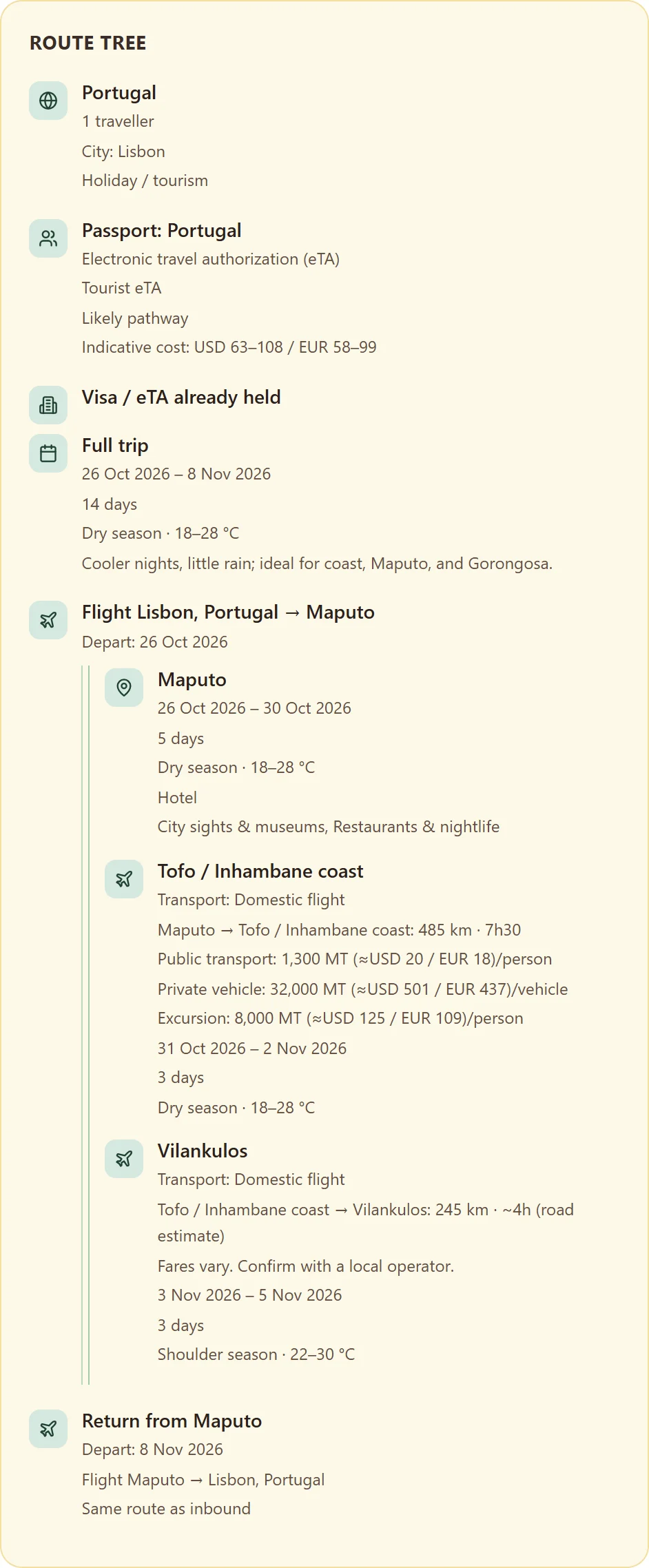
Your answers build a route tree that shows how the trip actually connects, from arrival in Maputo through regional legs to the return flight.
See the whole route on one screen
Step 3
When the plan is settled, export it. The calendar file imports into any calendar app, and each leg also has a direct add link.
Put the trip in your calendar
Step 4
Checklists turn the plan into actions: what to confirm before you fly, and what to handle in the final days before departure.
Work through what is left
Step 5
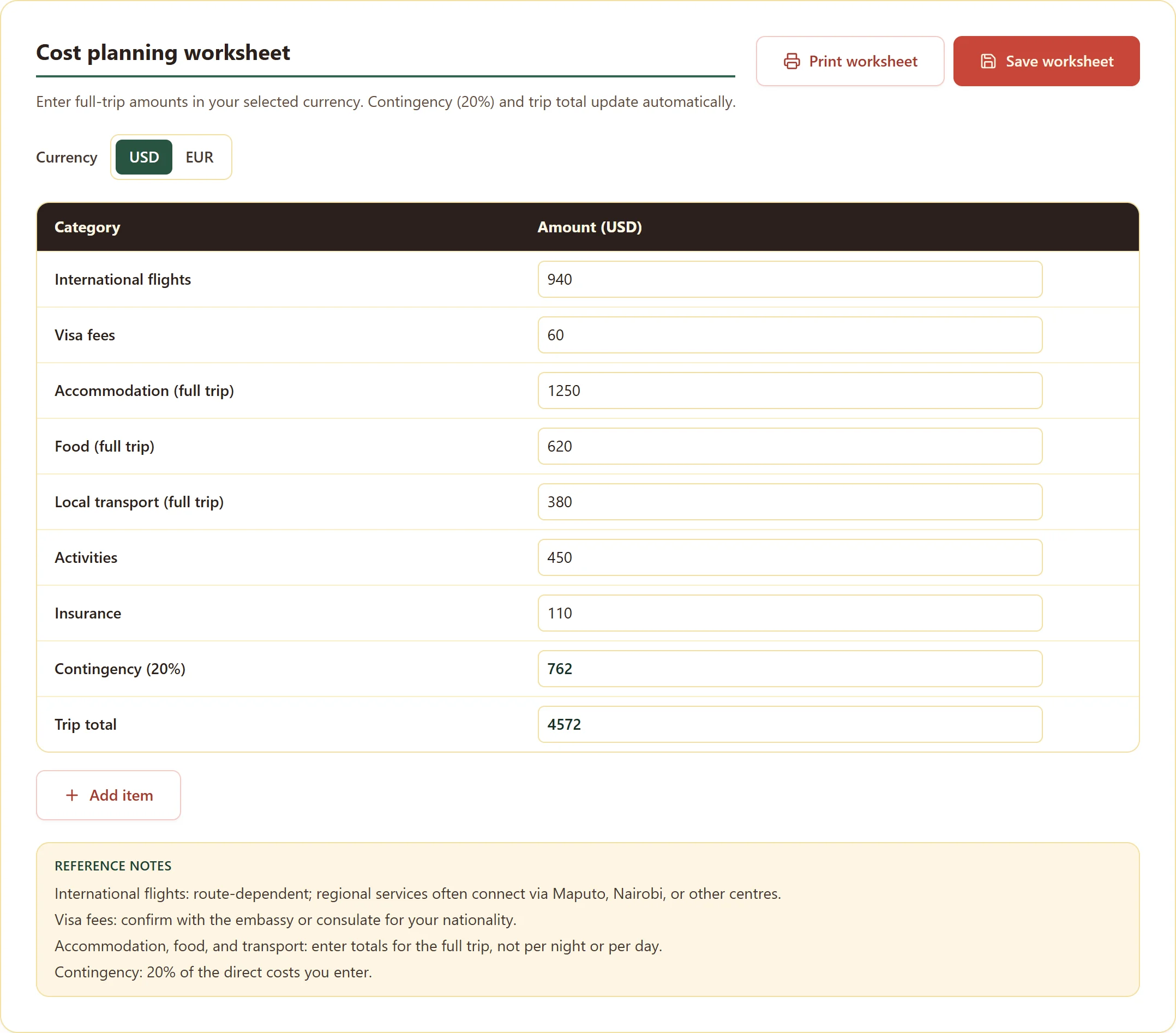
The cost worksheet gives the trip a realistic total, in local currency and in the currency you are paying from.
Know the number before you commit
Two full tools are included with the planner and open from your account, already unlocked.
Included tool
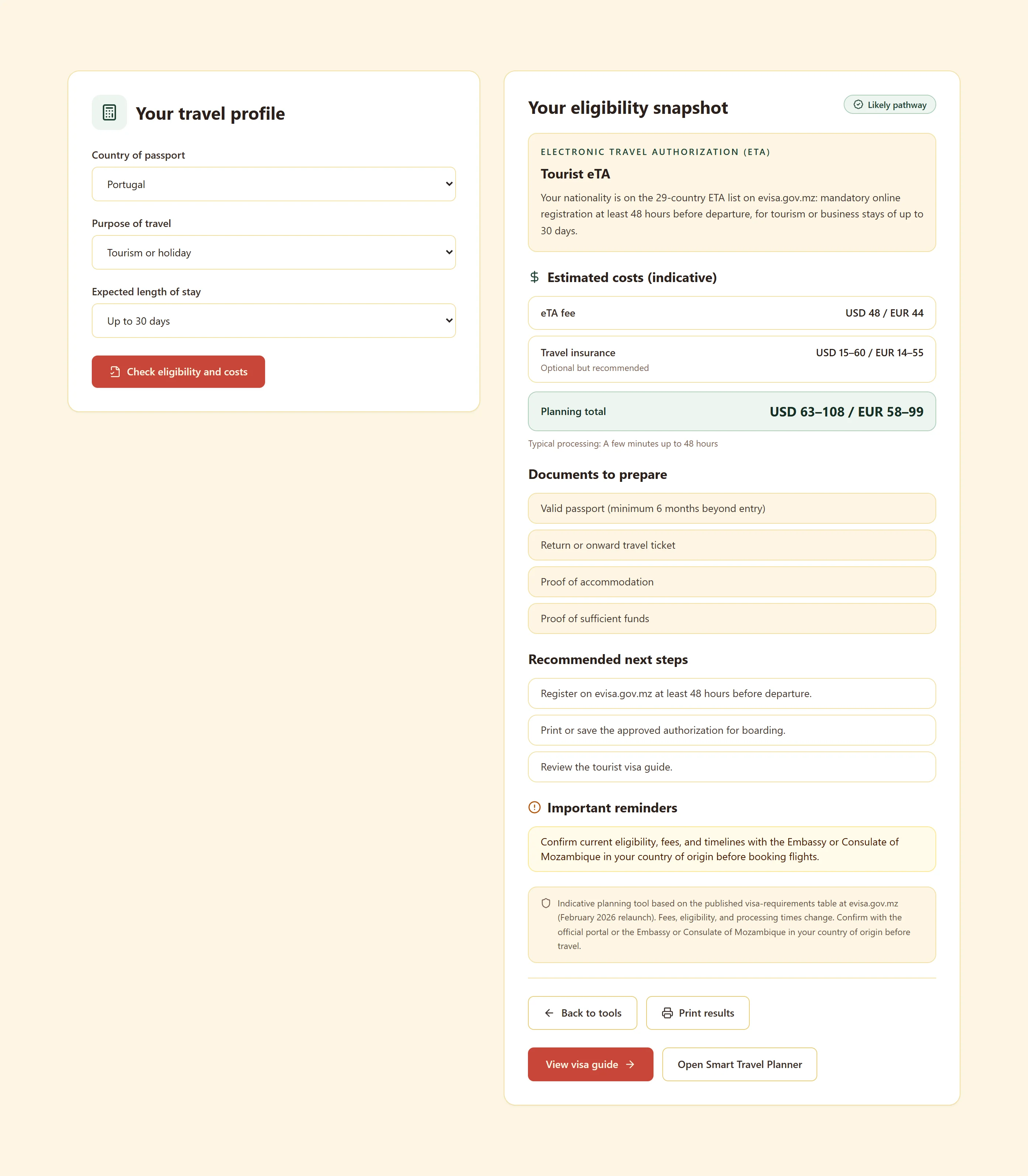
Work out which entry route applies to your nationality and trip purpose, and what to confirm with the Embassy or Consulate of Mozambique before travelling.
Visa eligibility checker
Included tool
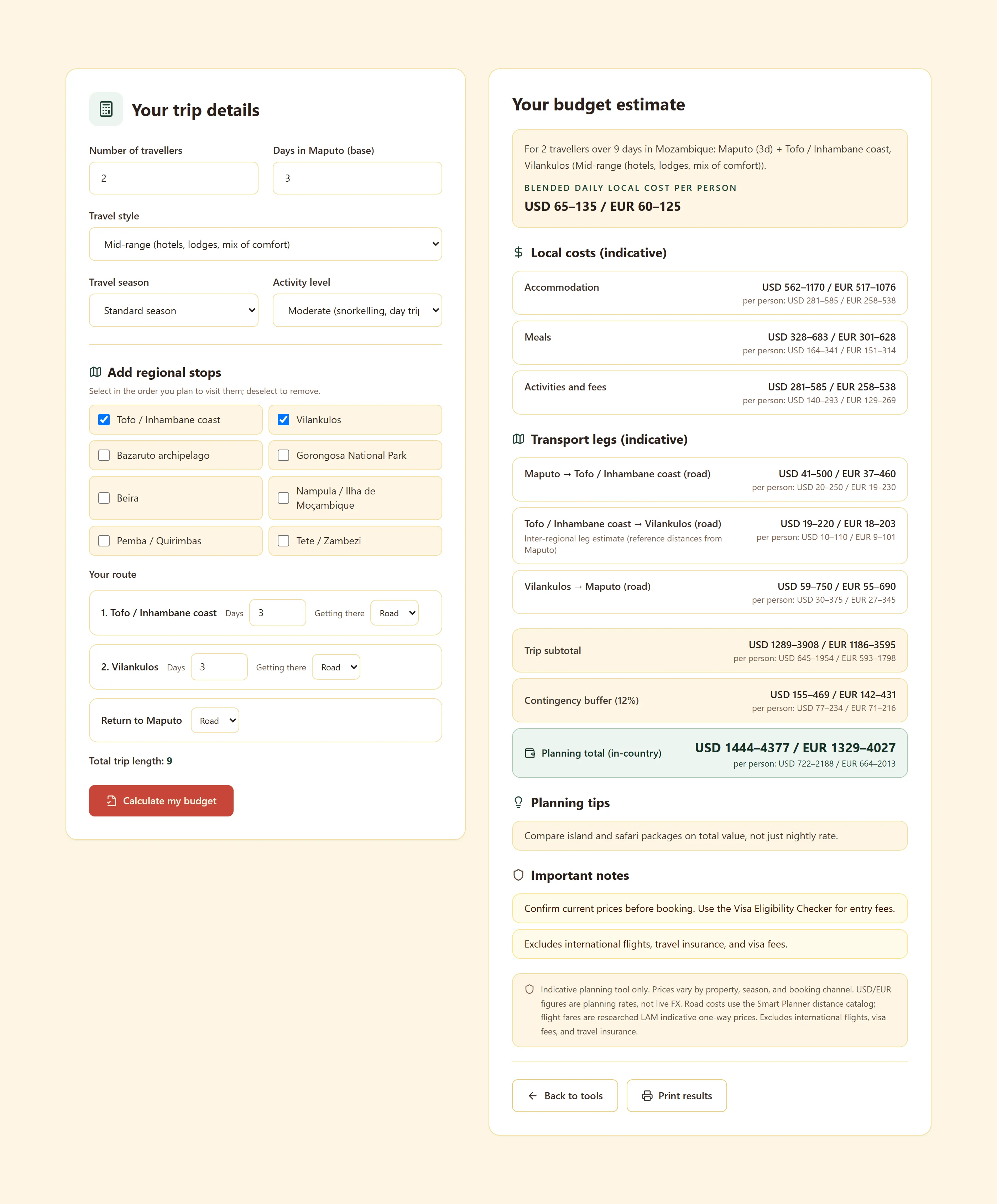
Estimate what the trip costs on the ground: nights, transport, food and activities, using researched Mozambican price ranges.
In-country cost calculator
A plan is only useful if you can carry it, show it and act on it. Everything you build is exportable.
A clean print layout of the summary and route, for a paper copy at the border or a PDF on your phone.
Calendar file for the whole trip, plus one-click add links for Google Calendar and Outlook.
Send the route to whoever is travelling with you by message, email or a copied link.
Your draft and saved plan follow your login, so you can pick the trip up on another device.
The planner exists to remove the two things that derail Mozambique trips: scattered research and unclear entry preparation.
Route, entry rules, costs and packing live in one place instead of across tabs, notes and chat threads.
The playbook raises visa and documentation questions while there is still time to act on them, not the week you fly.
Mozambique is long. Seeing travel time between cities before booking prevents itineraries that only work on paper.
Cost figures come from researched Mozambican pricing, so the total reflects what you will actually spend.
No. It is a structured planning product for travel to Mozambique: route, budget, entry preparation and next steps, before you book flights or accommodation.
The planner unlocks in your account immediately after checkout, under the Smart Planner tab. Nothing is emailed as a download you could lose.
Yes. The workspace works on phone, tablet and desktop, and your plan follows your login across devices.
No. It is a single payment of 29.99 EUR excl. VAT, and later improvements to the planner are included.
No. It shows which route applies to your situation and what to prepare. Eligibility and requirements must be confirmed with the Embassy or Consulate of Mozambique before travel.
Registered buyers receive email support within 24 hours for account and product questions. For a human review of your plan or an introduction to trusted local partners, contact us.
Create your account, complete the purchase, and the planner opens straight away with your first playbook step.
One-time payment. Access in your account, on any device.